What it is
Cables, like the old machines
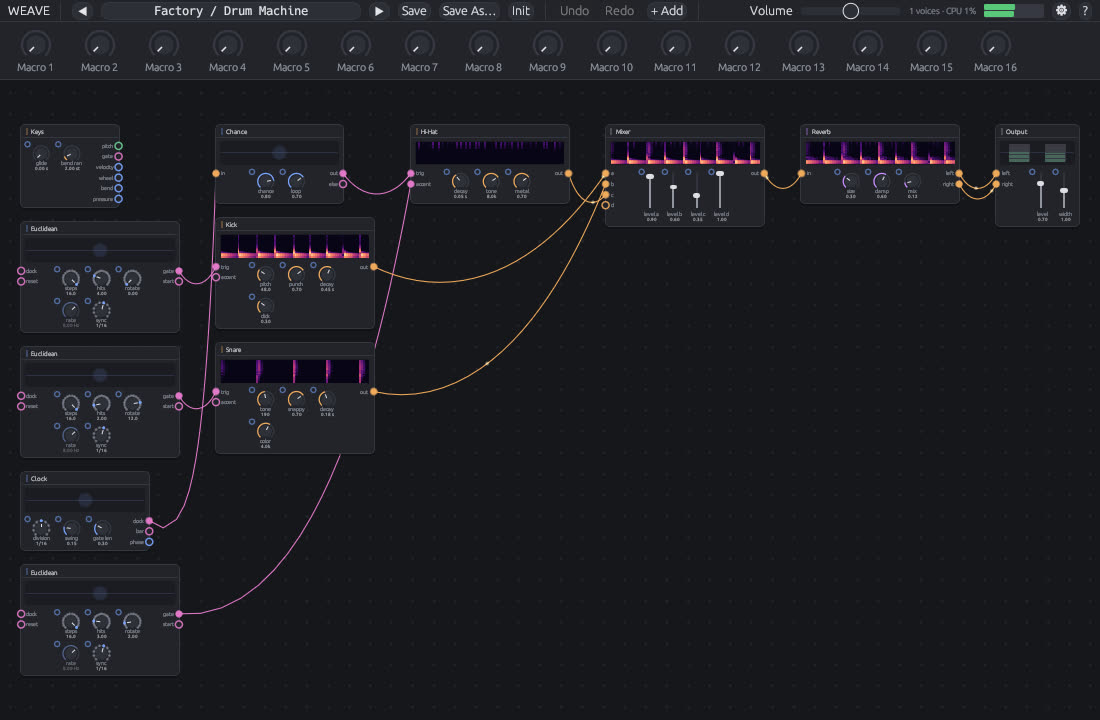
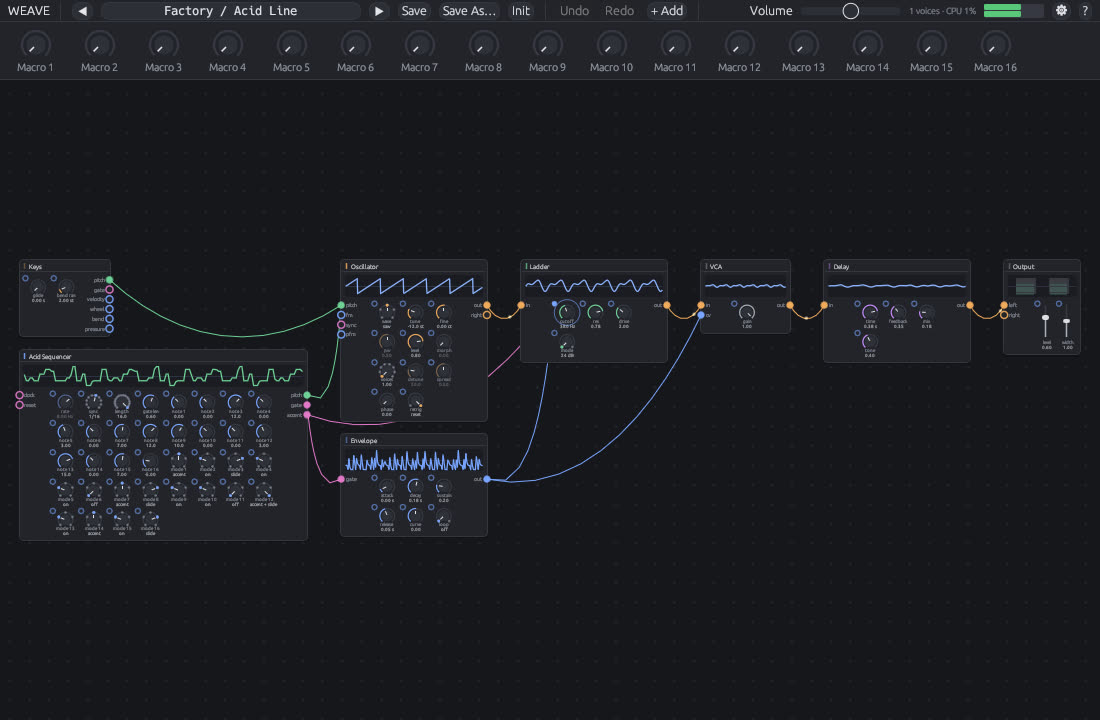
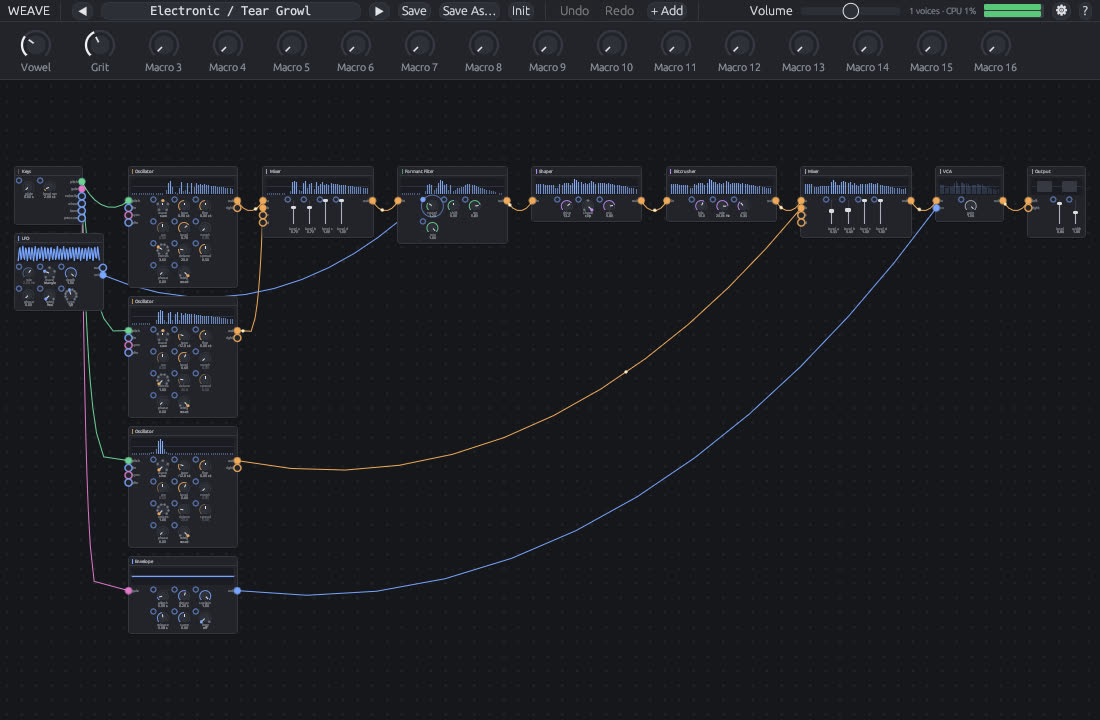
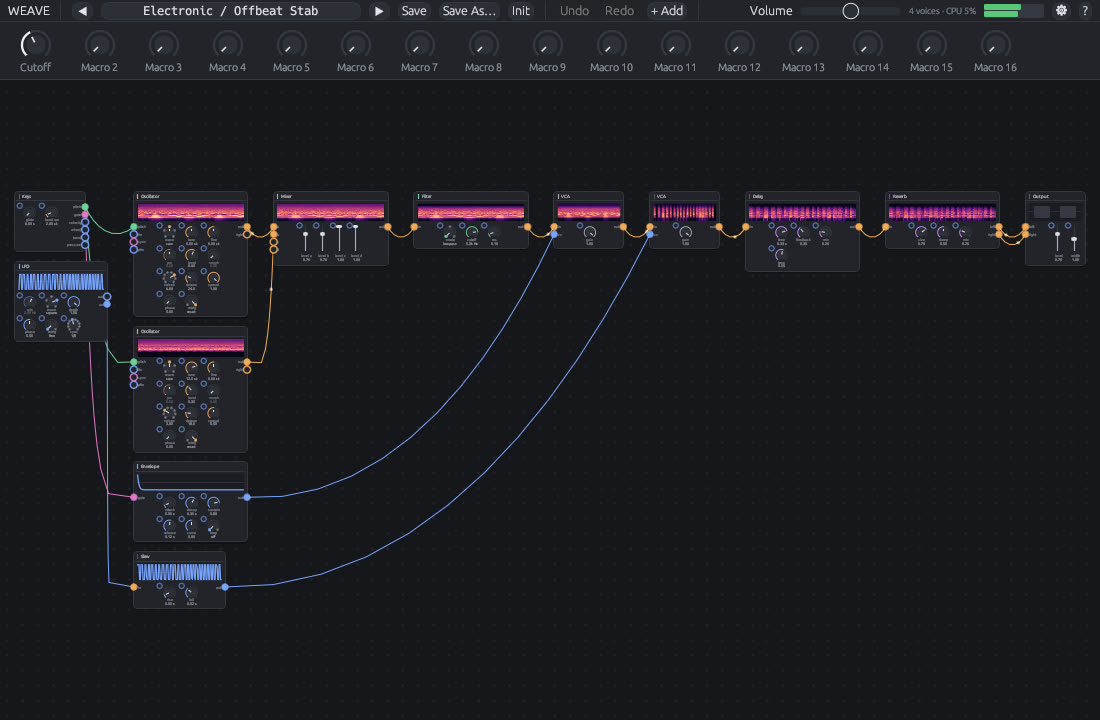
Before presets and menus, you made sounds by running patch cords between separate boxes: a sequencer into an oscillator, an envelope into a filter, a drum machine clocking it all. Weave brings that back inside your DAW. Every module is a little machine with jacks. Plug anything into anything and listen.
Edited like Blender nodes
Patching hardware is slow. Patching Weave is not. The keys come from Blender and Node Wrangler: Shift+A to add, G to grab, Ctrl+G to group, Alt+right-drag to connect, Ctrl+right-drag to cut. Drop a module onto a cable and it wires itself in.
Feels physical
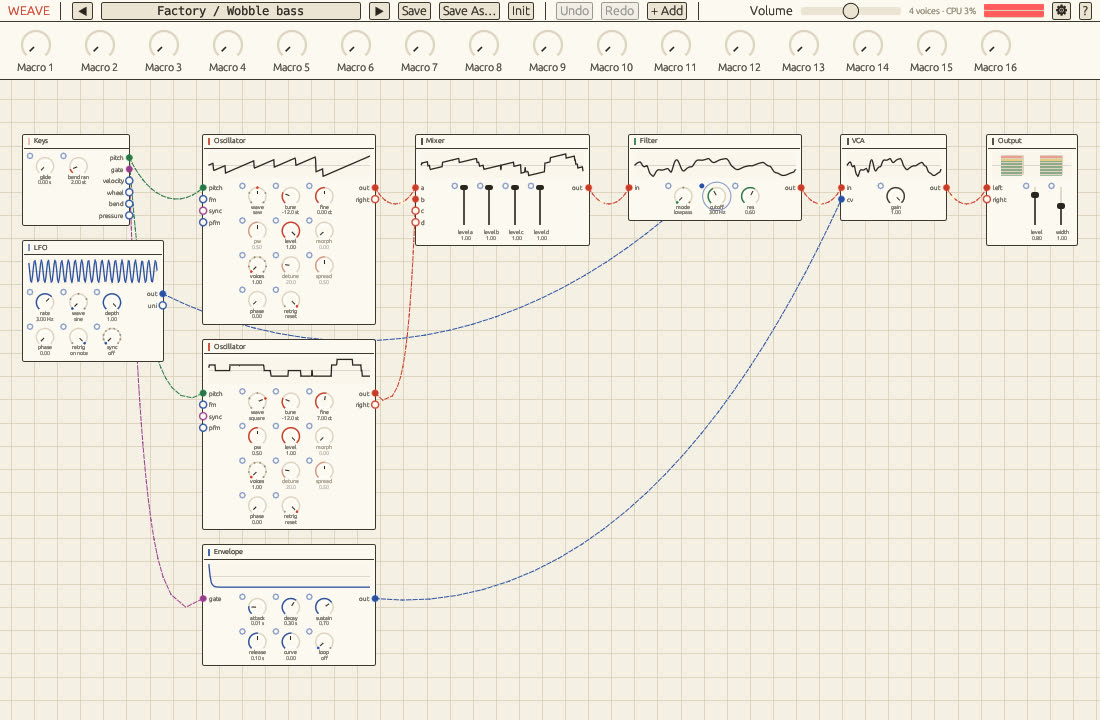
Cables hang and swing with real physics (off, on create or always, with adjustable stiffness). Every module has a small screen: scopes for audio, traces for LFOs and envelopes, lamps for gates.
- 49 modules oscillators, wavetable, FM, noise, sampler, kick, snare and hi-hat, LFOs, envelopes, sequencers, a 16 step acid sequencer, arpeggiator, Euclidean rhythms, filters, ladder, comb, formant, shaper, ring mod, bitcrusher, phaser, flanger, chorus, delay, reverb, scope, tuner, plus the strange ones below
- In time with your DAW a clock, dividers, and LFOs and sequencers that lock to the host's tempo and position
- Over 120 sounds in two banks, with a searchable browser. The Electronic bank has 87, built in the styles of progressive and big room house, trance, dubstep, French electro and deep house. Your DAW project remembers the exact sound, edits included.
- Live views on every module: the wave, a spectrum, or a scrolling heat map. Your choice in Settings.
- 16 macros for DAW automation, assigned to any knob in the patch
- Groups and blueprints fold a section into one box and reuse it in any patch
- Themes in CSS five built in, or write your own with images, textures and cable looks
- Polyphonic with glide, a CPU guard and sample-accurate notes
See it
Modules you won't find elsewhere
Pendulum
A double pendulum. Its swings never repeat, so it modulates like a hand that never settles. Kick it to start again.
Life
Conway's Game of Life on an 8 by 8 board, read column by column as notes and gates. The melody evolves and reseeds itself when it dies.
Rain
Drops falling on a surface, each a small ping that rises in pitch, with a trigger out for every drop.
Erode
Wears out as you play: fewer bits, lower rate, dropouts. Leave it quiet and it heals.
Bounce
A dropped ball. Triggers come faster and faster until it rests.
Magnet
Pulls a pitch toward a scale, as hard as you like. Halfway between free and quantised.
How to use it
Install
Copy
Weave.vst3toC:\Program Files\Common Files\VST3\andWeave.claptoC:\Program Files\Common Files\CLAP\. Rescan plugins in your DAW and load Weave on an instrument track.Pick a sound
Click the preset name at the top to browse banks, or step with the arrows. Play notes from your DAW. The sound comes out of the Output module.
Turn knobs
Drag a knob up or down (Shift for fine steps). Double-click resets it. Ctrl+click types a value.
Patch cables
Drag from an output jack (right side) to an input jack (left side), or to the small jack beside any knob to modulate it. Drag a plugged end away to move it. Ctrl+right-drag across cables cuts them.
Add modules
Press Shift+A or double-click empty space, then type a name. Drop a module onto a cable to insert it. Alt+right-drag from one module to another connects them.
Group and reuse
Select modules and press Ctrl+G to group them. Tab opens and closes a group. Right-click it and choose Save as blueprint to reuse it from the Add menu in any patch.
Macros for your DAW
The 16 knobs under the preset bar are what your DAW can automate. Right-click one, choose Assign, then click any knob in the patch.
Save
Save keeps the sound in a user bank. Your DAW project always remembers the exact sound, even if you never save a preset.
Shortcuts
- Shift+A
- Add module
- G
- Grab (move)
- Shift+D
- Duplicate
- X / Delete
- Delete
- H
- Collapse module
- M
- Mute module
- Ctrl+G
- Group
- Ctrl+Alt+G
- Ungroup
- Tab
- Open or close group
- Ctrl+Z / Ctrl+Shift+Z
- Undo / Redo
- Ctrl+C / Ctrl+V
- Copy / Paste
- Ctrl+A
- Select all
- Home / .
- Frame all / selected
- Shift+S
- Swap modules
- Alt+D
- Detach (keep the signal flowing)
- Ctrl+M
- Merge into a mixer
- Shift+K
- Link active to selected
- Shift+L
- Arrange the patch
- F3
- Command palette
- Wheel / right-drag
- Zoom / pan
Press the ? button in Weave any time for the same guide. All shortcuts can be changed in Settings.
Themes
Five themes are built in: Minimal Dark, Minimal Light, Hardware, Midnight and Paper. Pick one in Settings (⚙).
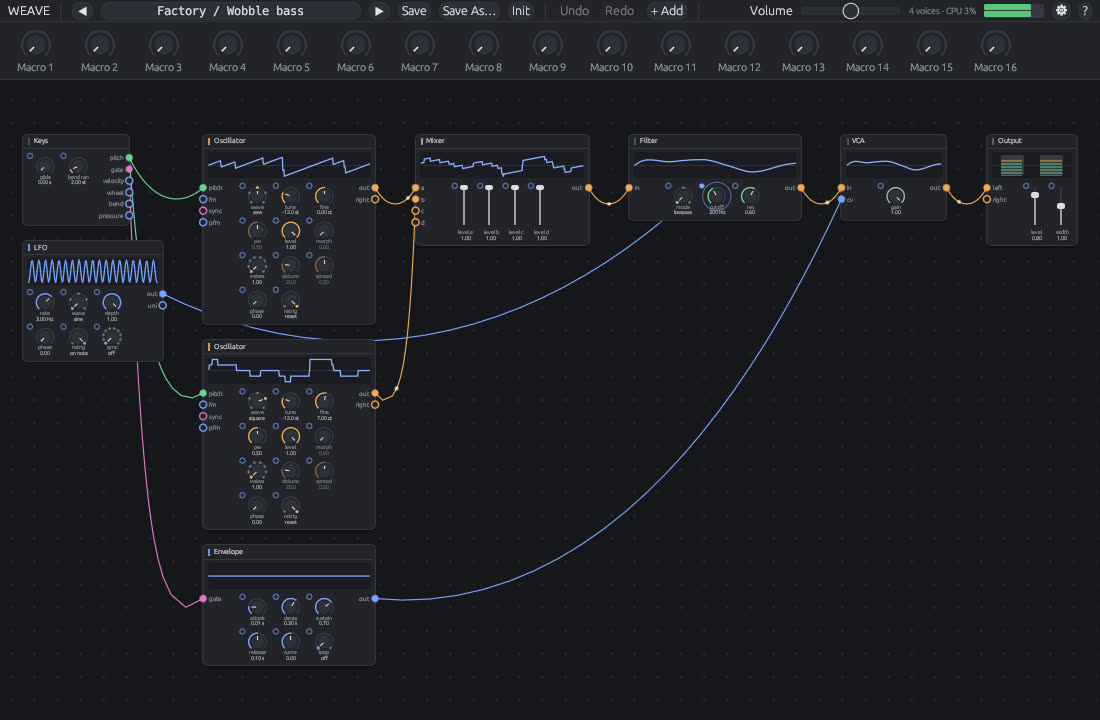
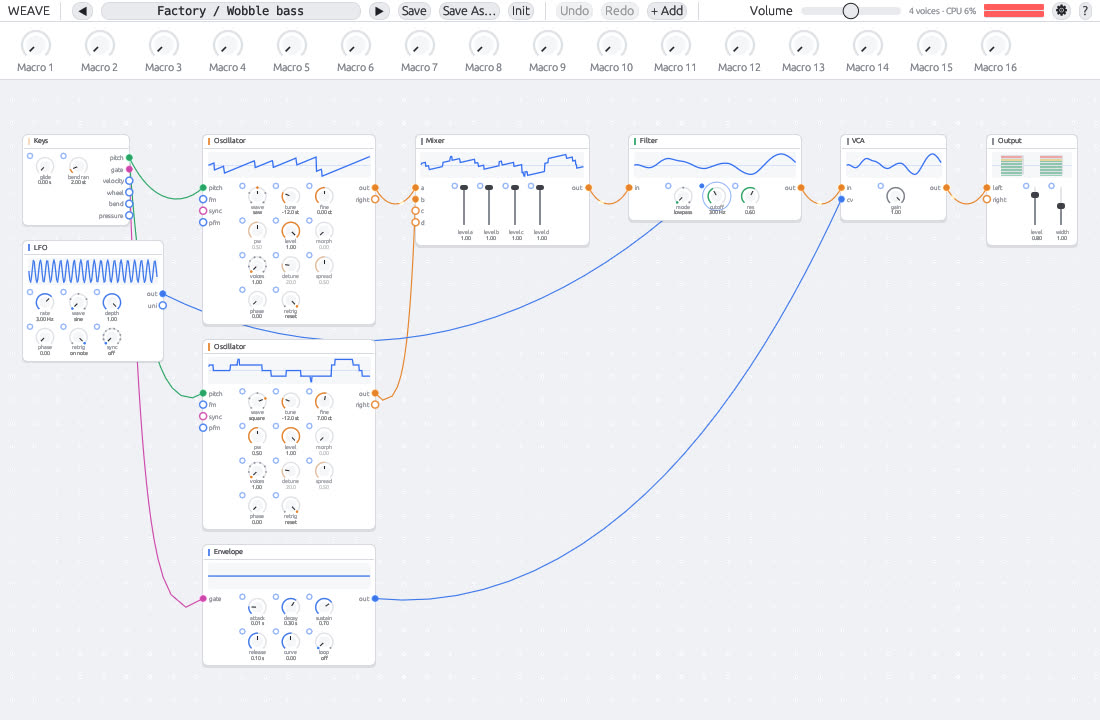
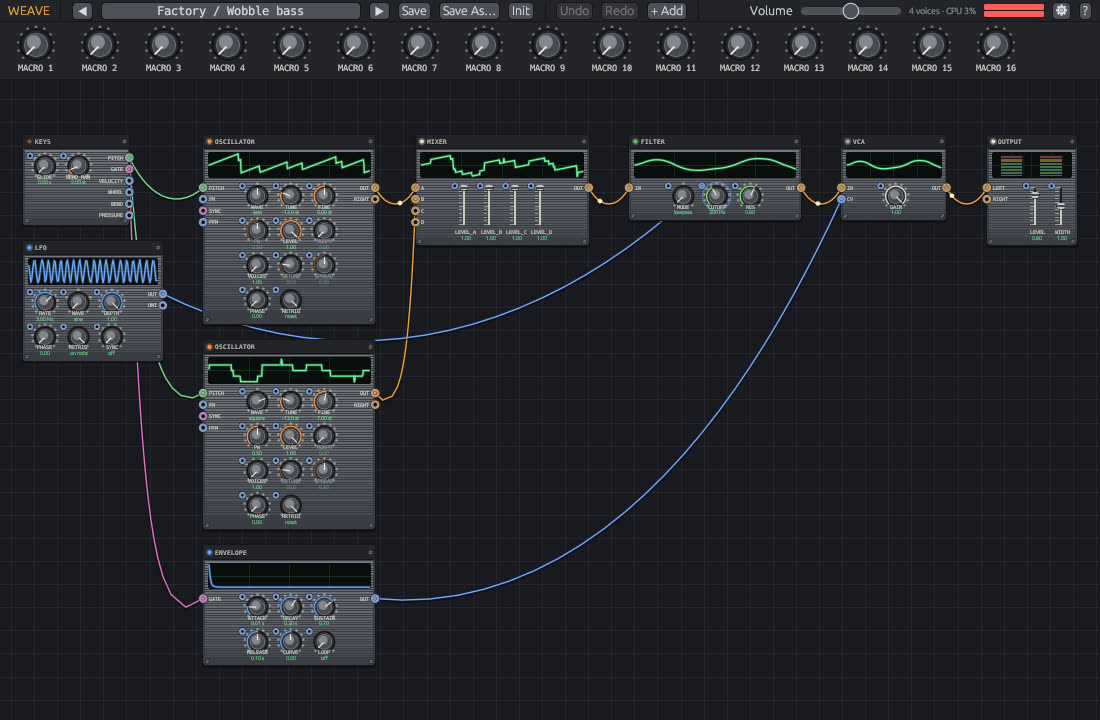
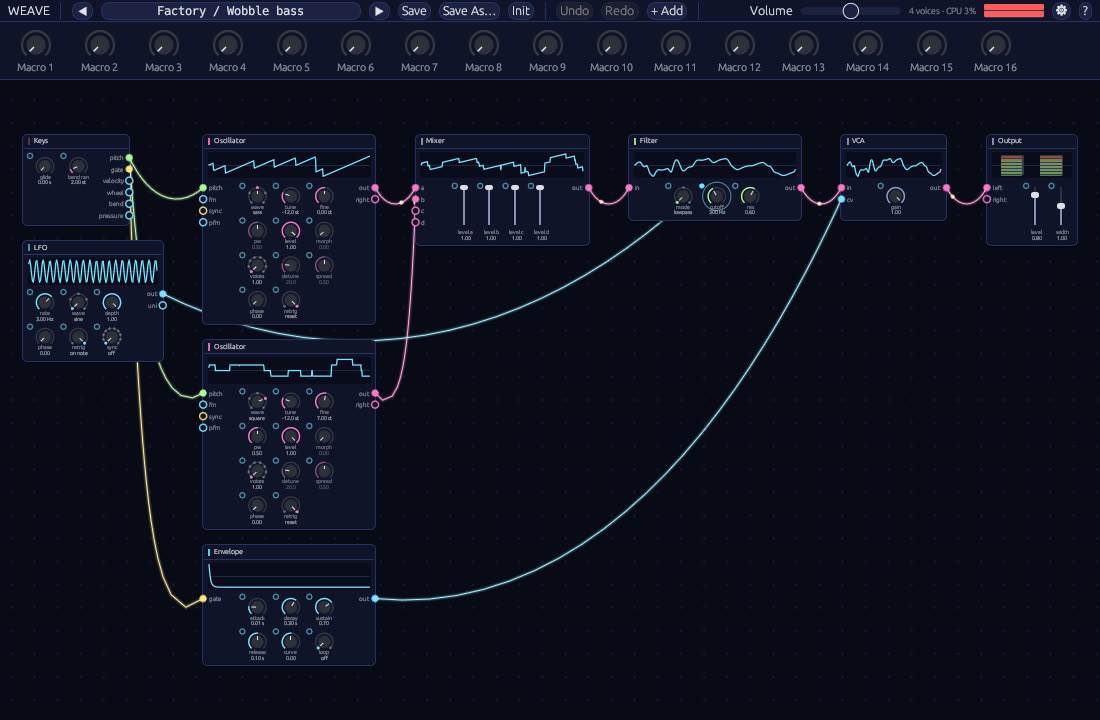
Make your own
Start from one you like
Open Settings, pick a theme and press New theme from this one. Weave writes it, with every key filled in, to a
.cssfile in%APPDATA%\Weave\Themes.Edit the file
A theme is a list of CSS custom properties. Only
--name: value;pairs count. Start from a built-in with--baseand change only what you want.Add images
Put PNG or JPEG files next to the
.cssfile and use them withurl("file.png")for the background or a panel texture.Reload
Press Reload in Settings. Your themes have their own picker, listing every file in the folder. Mistakes are shown there and the rest of the theme still applies.
/* Neon Nebula.css: a background image, glowing cables, round panels */
:root {
  --base: midnight;
  --background-image: url("nebula.png");   /* next to the .css file */
  --background-mode: cover;
  --grid-style: none;
  --panel: #0f1424ee;                      /* alpha is allowed */
  --panel-border: #3a4a8a;
  --panel-radius: 12px;
  --cable-audio: #ff4fd8;
  --cable-control: #4ff0ff;
  --cable-width: 2.5px;
  --cable-look: glow;
  --trace: #4ff0ff;
}
Values: colours as #rgb, #rrggbb, #rrggbbaa, rgb() or rgba(); numbers with an optional px; words; images as url("file").
All theme keys
| Key | Takes |
|---|---|
| --base | a built-in to start from: minimal-dark, minimal-light, hardware, midnight, paper |
| --background | canvas colour |
| --grid | grid colour |
| --grid-style | none | dots | lines |
| --background-image | url("file.png") |
| --background-mode | tile | stretch | cover |
| --background-image-opacity | 0 to 1 |
| --panel | module face colour |
| --panel-header | module title strip colour |
| --panel-border | module edge colour |
| --panel-radius | corner radius in px |
| --panel-style | flat | brushed |
| --panel-image | url("texture.png") |
| --panel-image-opacity | 0 to 1 |
| --screws | on | off |
| --shadow | shadow colour (use alpha, e.g. #00000066) |
| --text, --text-dim | main and secondary text |
| --label, --value | labels on modules, values under controls |
| --selected, --active | selection outline, active module and highlights |
| --danger | cut strokes, clipping, warnings |
| --knob-style | minimal | hardware |
| --knob-cap, --knob-track | knob colour, knob track colour |
| --fader-cap | fader cap colour |
| --jack-style | dot | ring |
| --screen, --trace | live view background and trace |
| --cable-audio, --cable-control, --cable-pitch, --cable-trigger | cable and jack colours by signal |
| --cable-width | thickness in px |
| --cable-look | solid | glow | dashed |
| --cable-shadow | on | off |
| --category-sources, -modulators, -filters, -effects, -utilities | accent colour per module family |
| --window, --button | dialogs and menus, buttons |
Download
Coming soon.
Windows 10 or 11, 64-bit. VST3 and CLAP, for any DAW that loads them. The editor draws with Direct3D 12 (or Vulkan), so any graphics card from the last decade works.